How to Use Vista
Vista shows a crystal from its CIF, MCIF or VESTA file and works out what its symmetry says about it. Here is what you can do, and where to click.
Open a Crystal
There is nothing to install, and your file is read in your browser: it is never uploaded.
- 1 Choose a CIF, MCIF or VESTA file, or drop one anywhere on the page, even while another crystal is shown.
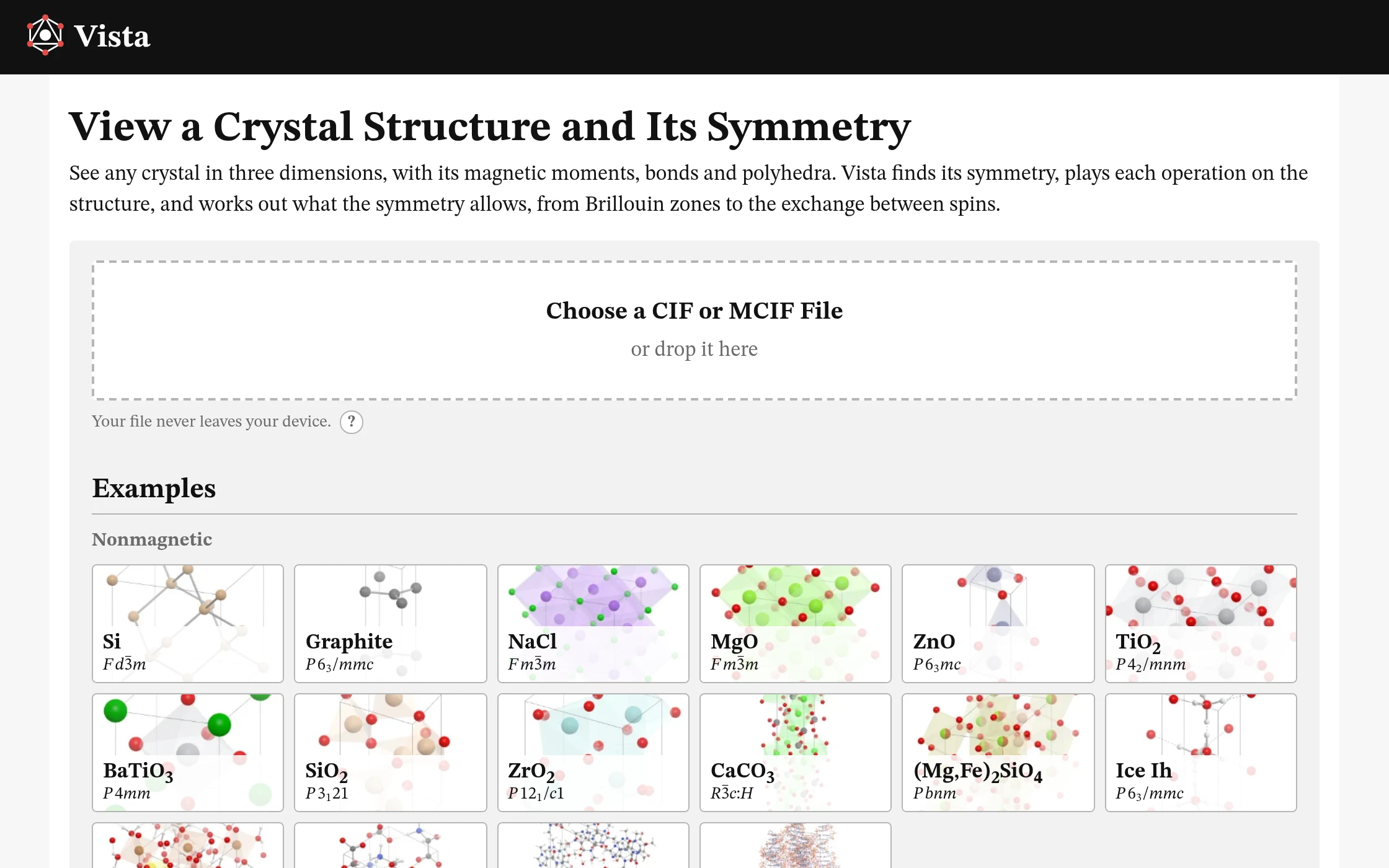
- 2 Or open an example, from silicon to DNA, or a magnetic structure, from MnF2 to Er2Ti2O7.
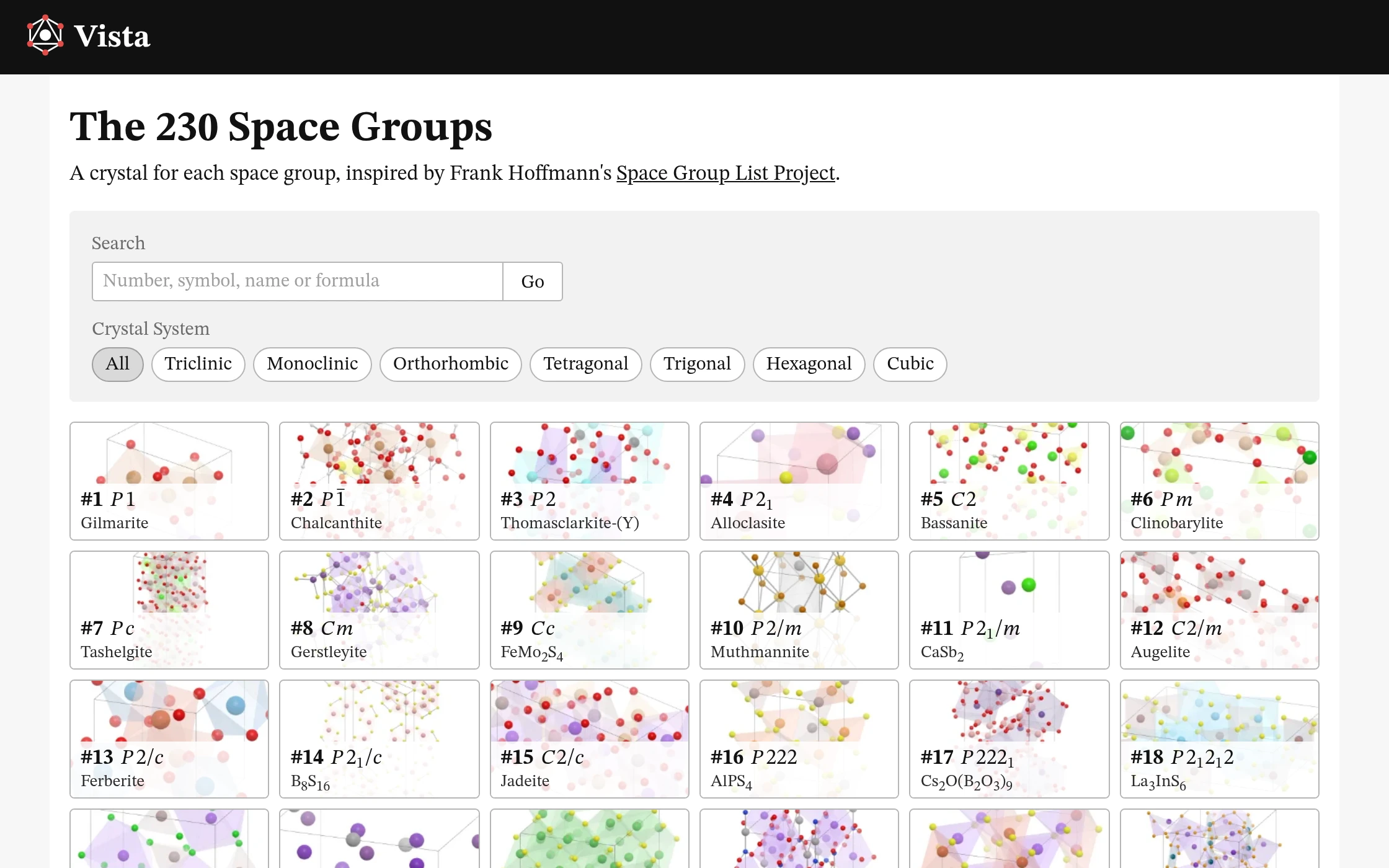
- 3 Or find a crystal for each of the 230 space groups, by its number, symbol, name or formula.
- The files you open are kept under Recent, in this browser alone.
- The address follows the page you are on: a link, a reload or Back brings you to the same place.
- On a phone, the controls are in a sheet at the foot of the screen: drag it up.
Structure
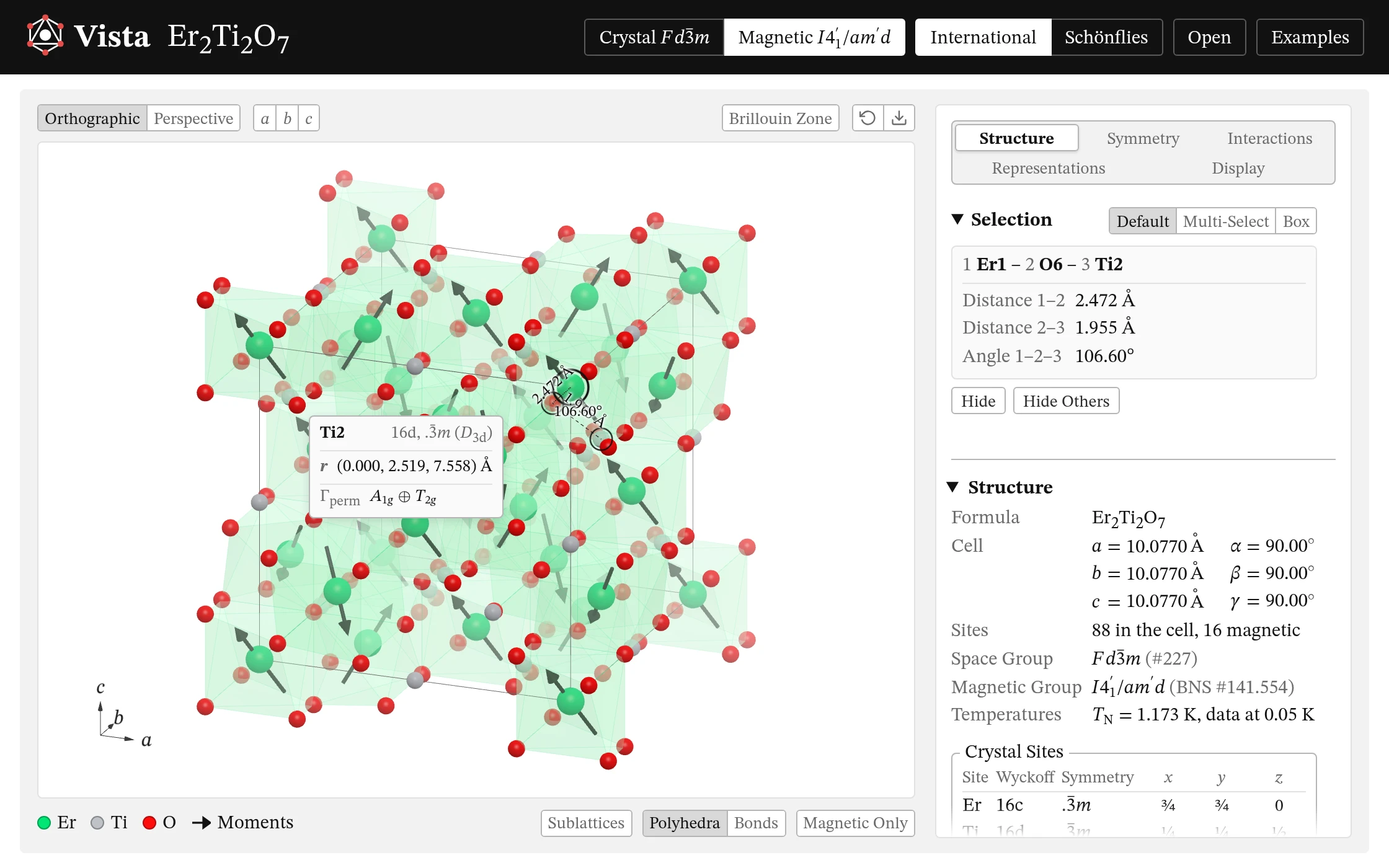
The crystal is drawn with its magnetic moments, bonds and polyhedra, all found from the file.
- 1 Drag to turn it, right-drag to move it, and scroll to zoom; double-click to start again. On a phone, turn it with one finger and zoom with two.
- 2 Choose an orthographic or perspective view, or look along a, b or c.
- 3 Turn the panel over to the crystal's Brillouin zone.
- 4 Save the view as a PNG, at up to four times the screen's resolution, on its background or on none.
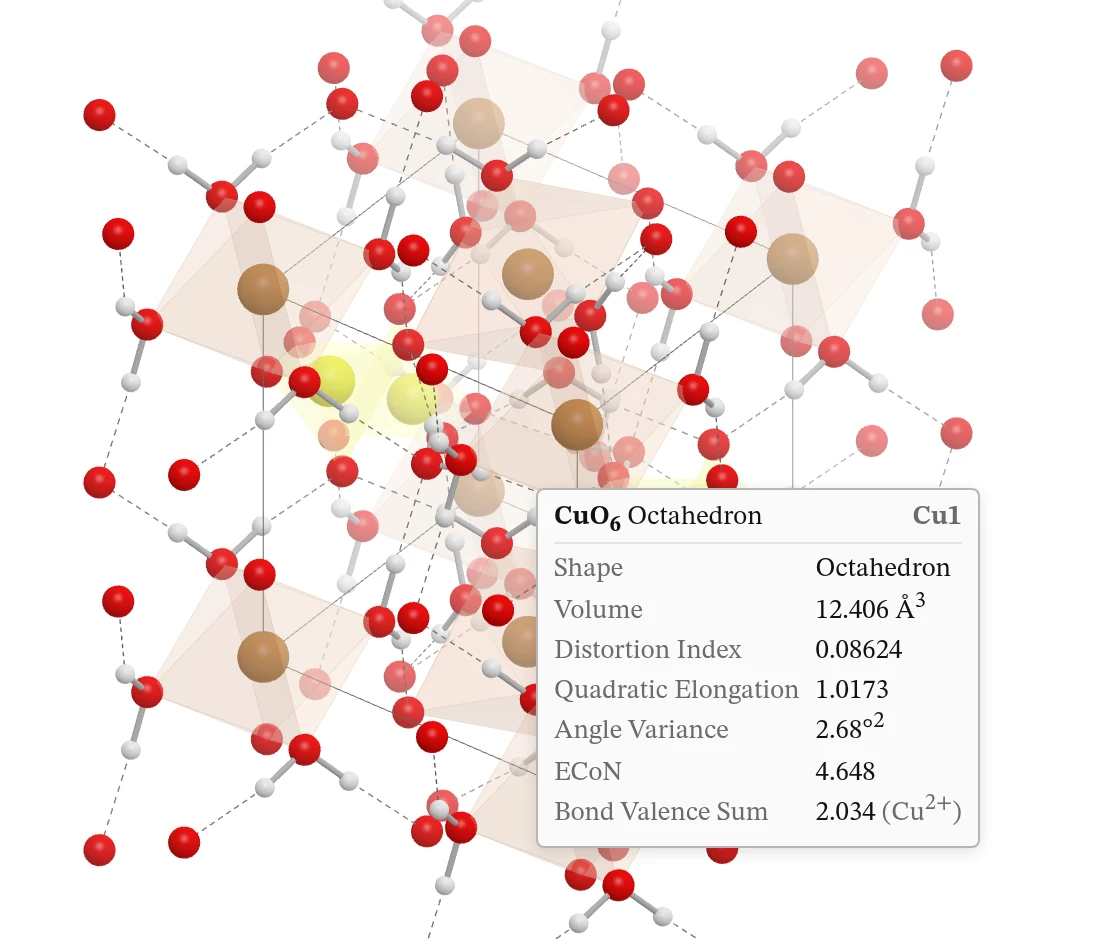
- 5 Hover over an atom, a bond, a hydrogen bond or a polyhedron for its card.
- 6 Click up to three atoms. One gives its coordinates, its polyhedron's volume, distortion and bond-valence sum, and its neighbours; two, their distance, the polyhedra they share and their bond's valence; three, the angle between them. Multi-Select takes any number. Shift-click adds an atom, and Shift-drag a box (or choose Box, on a phone) adds every atom inside it; click a chosen atom again to let it go, or press Escape to let go of them all. Delete hides the atoms chosen, with their bonds and polyhedra, and Shift+Delete every other atom; a bond or a polyhedron clicked is hidden alone. Undo (Ctrl+Z or ⌘Z) and Show All, under the view, bring them back. Your own files keep what you hid. Right-click an atom, a bond, a polyhedron or the empty view (or hold it, on a phone) for what you can do with it: hide it or the rest, label it, add bonds like it (or take them away, where they are drawn), change its look, see its symmetry, or centre the view on it.
- 7 Under the view, click an element to fade or hide it, and right-click it for its size, colours and shine, in the Display page's Selection. Turn the polyhedra, bonds and sublattices on and off.
- 8 The Structure page gives the cell, the space and magnetic groups, the sites with their Wyckoff positions and symmetries, the moments, and the file's references.
- Distances and angles carry the file's uncertainties: 2.037(5) Å.
Symmetry
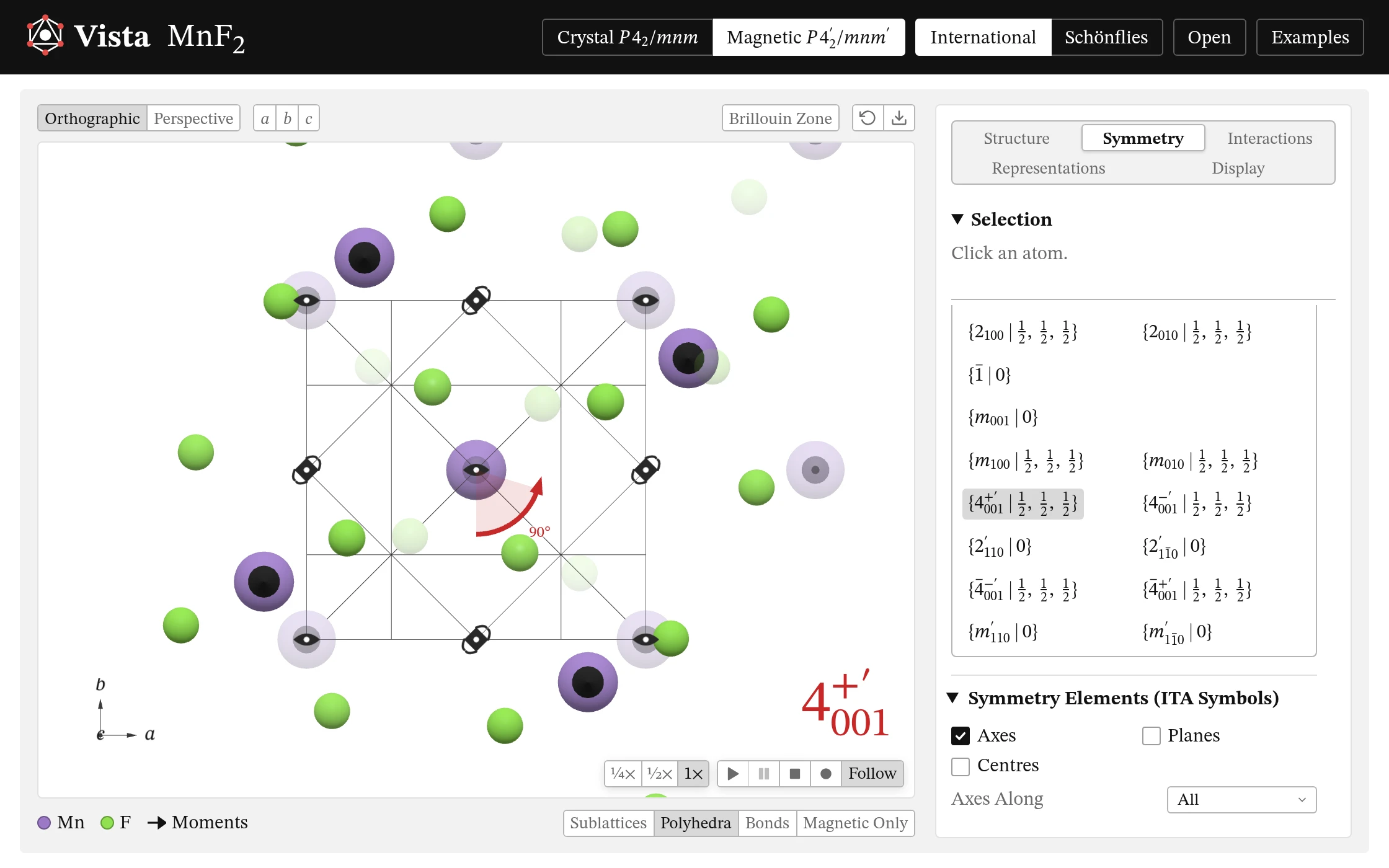
Vista finds the crystal's space group, and an MCIF's magnetic group, and plays each operation on the structure.
- 1 For a magnetic structure, work in the crystal's group or in the magnetic one.
- 2 Write the operations as International Tables does, or in Schönflies's notation.
- 3 Click an operation to play it: its rotation, its translation and, for a primed one, time reversal, each in turn. Hover over one to see its axis, plane or centre, and right-click it to keep it shown while you turn the view; right-click more to show several, right-click one again to let it go, and click anywhere to let them all go. Narrow the list to the proper or improper operations, the primed or unprimed, or those with or without a translation.
- 4 Slow it down, pause it, or let the camera follow it.
- 5 Record an operation, or all of them, as a film (MP4, GIF or WebP).
- Click an atom for its site's symmetry and the operations that fix it, or two for their bond's: the operations that fix its ends, and those that swap them.
- 6 Draw the symmetry elements, axes, planes and centres, with International Tables' symbols, and hover over one for its operations.
Representations
The group theory of the crystal and of each of its sites, with its tables.
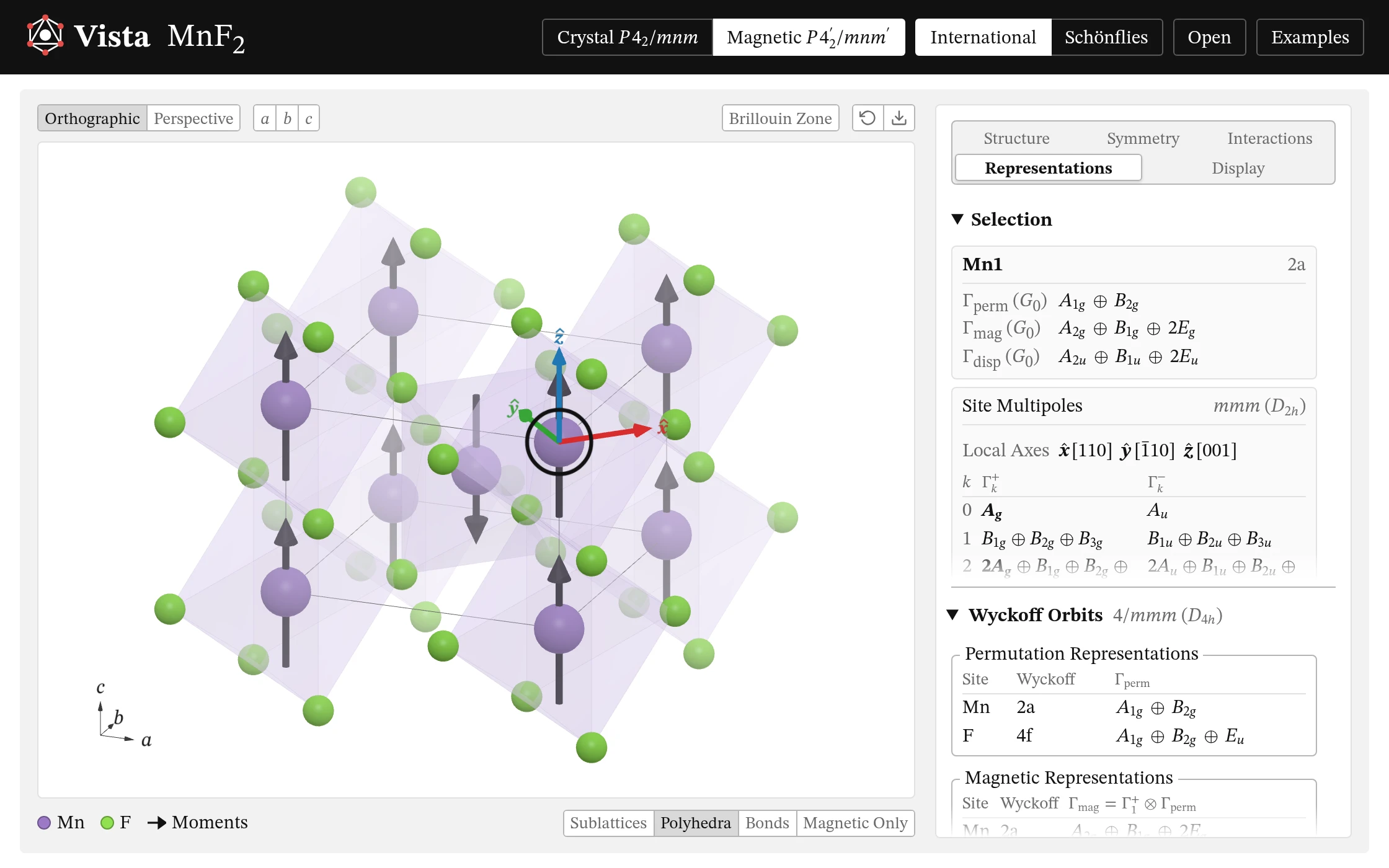
- 1 Click an atom for its orbit's permutation, magnetic and displacement representations, reduced to irreps. Click an irrep to picture it on the atoms.
- 2 Its site's multipoles, rank by rank, in the site's own axes, and the levels of a half-integer j.
- 3 Every Wyckoff orbit's representations at once.
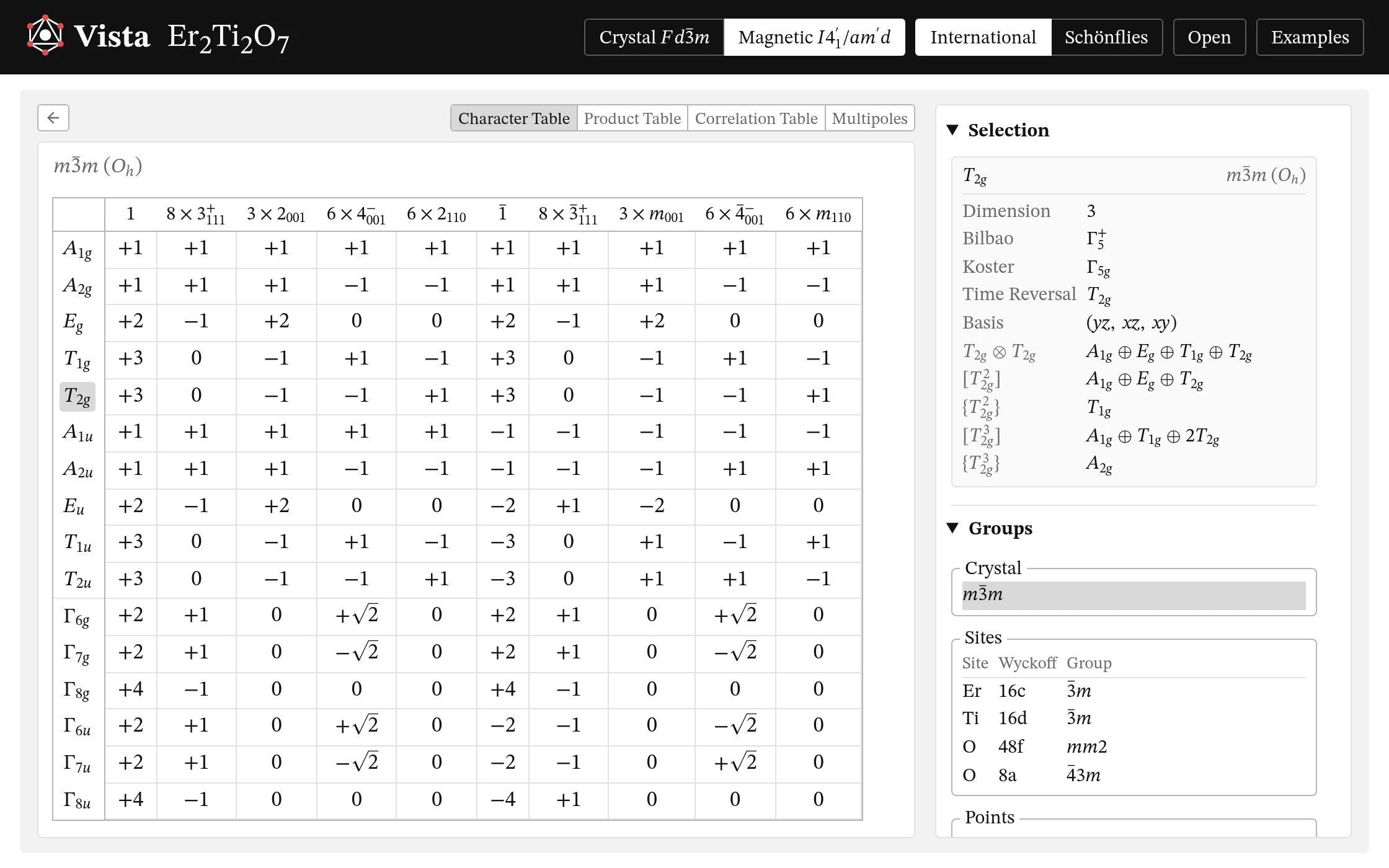
- 4 Character, product and correlation tables, and the multipoles' functions.
- 5 For the crystal's point group, each site's group, and each point's and line's little co-group.
- 6 Click an irrep for its card: its basis functions and its products. Click two for their product.
Interactions
What the crystal's symmetry allows between its magnetic moments.
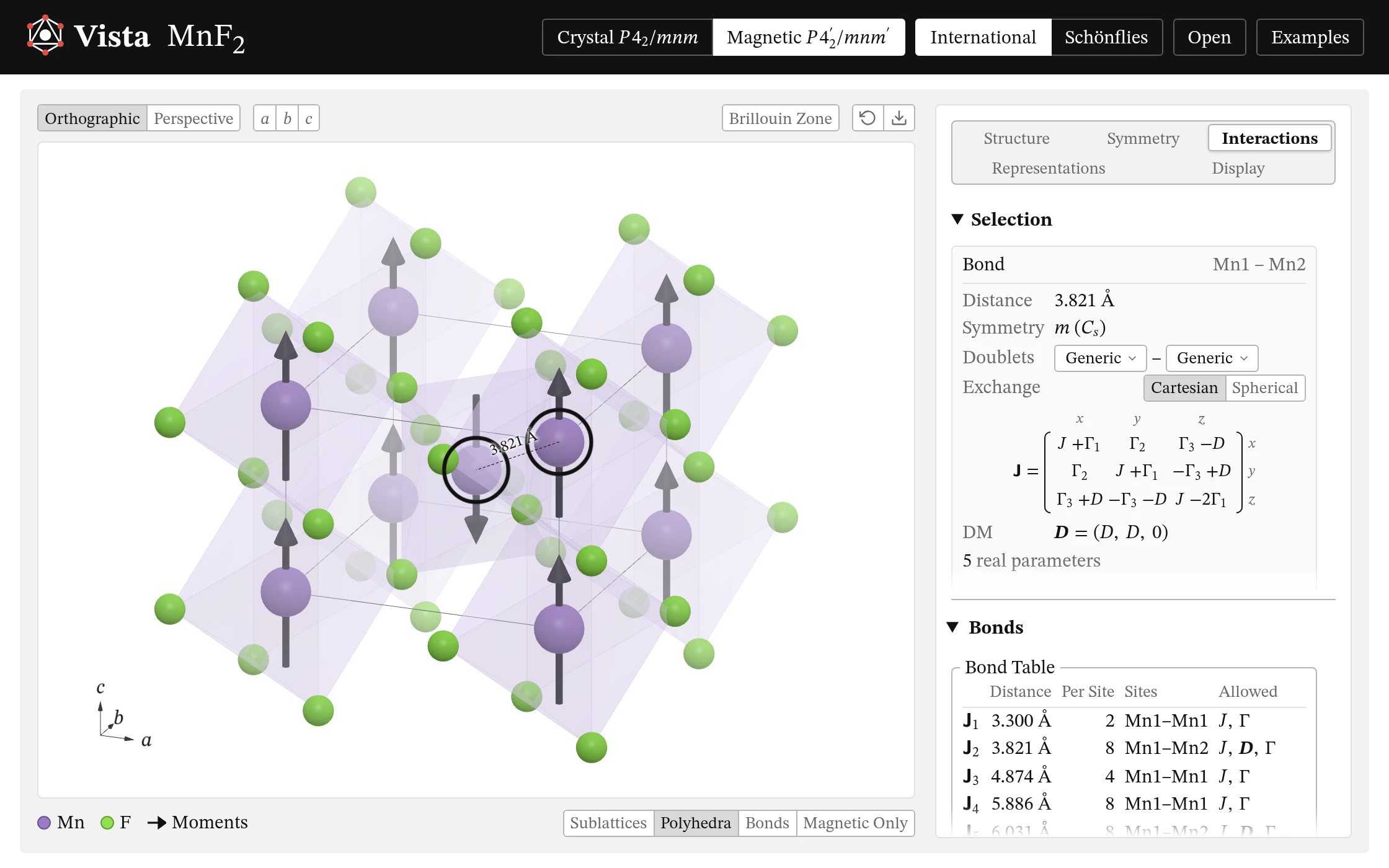
- 1 Click two magnetic atoms for their bond's exchange matrix and its Dzyaloshinskii–Moriya vector. Show the bond's whole orbit, with each bond's matrix carried from this one.
- 2 Write the matrix in the Cartesian basis (x, y, z) or the spherical one (+, −, z), each with its own parameters.
- 3 The bonds in shells, J1, J2, …, with what each allows: J, D and Γ. Click one to draw its bonds.
- 4 Where a site's levels split into doublets, choose one for its pseudo-spin's g-tensor and couplings.
- Click one magnetic atom for its g-tensor and single-ion anisotropy in Stevens operators, in its site's own axes.
Brillouin Zone
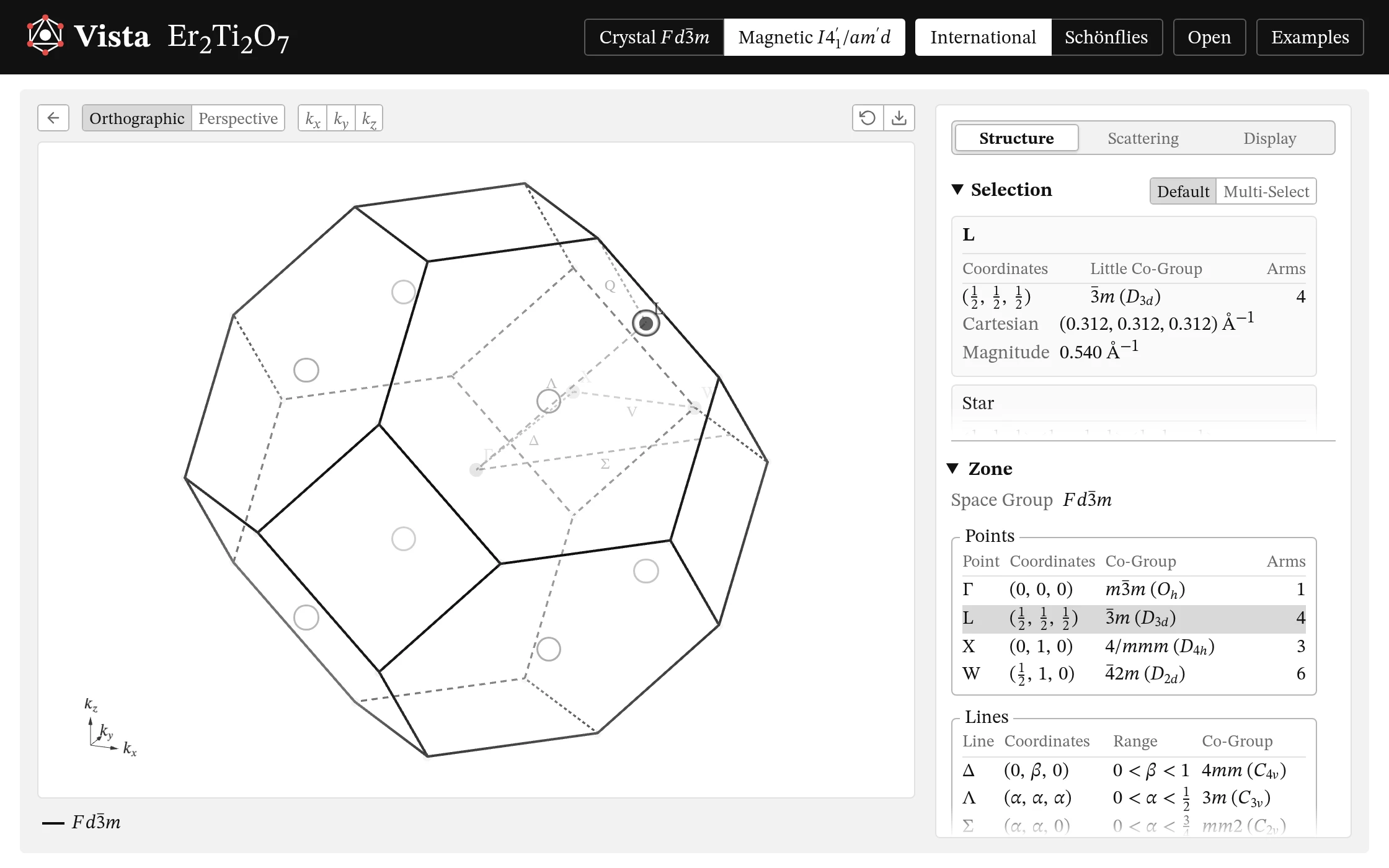
Click Brillouin Zone above the view to turn the panel over to the crystal's zone.
- 1 The arrow turns it back to the structure.
- 2 The zone's points and lines with their letters, their little co-groups and their stars. Hover over one for its coordinates; click a row to ring its star.
- For a magnetic structure, its propagation vectors and their stars, each arm's weight.
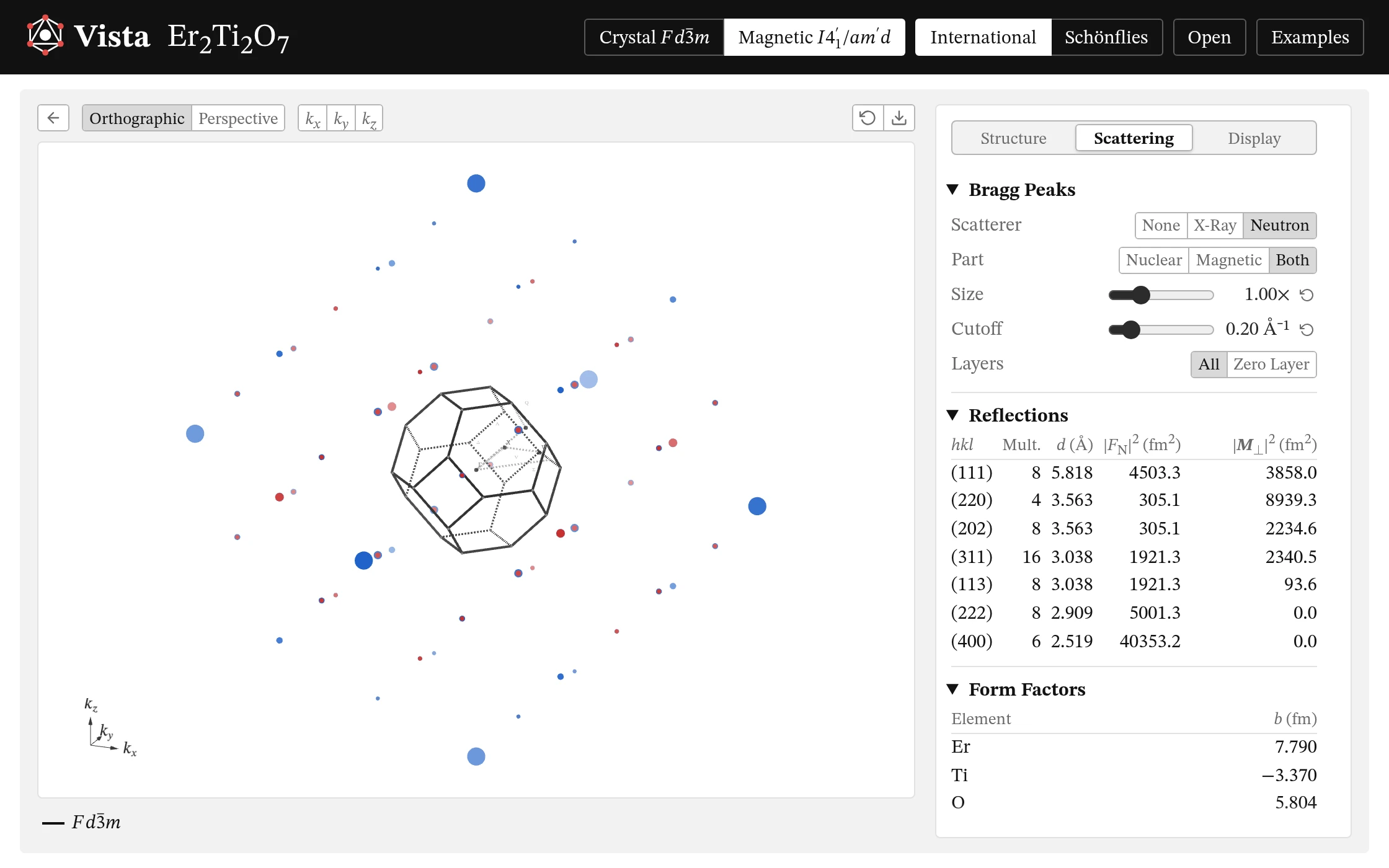
- 3 Its Bragg peaks, for X-rays or neutrons, nuclear and magnetic, on the reciprocal lattice or in its zero layer, with their reflections and the form factors.
- Show the reciprocal basis vectors and the neighbouring zones; choose how the lines and their labels are drawn.
Display
Change how the crystal is drawn, and how you look at it.
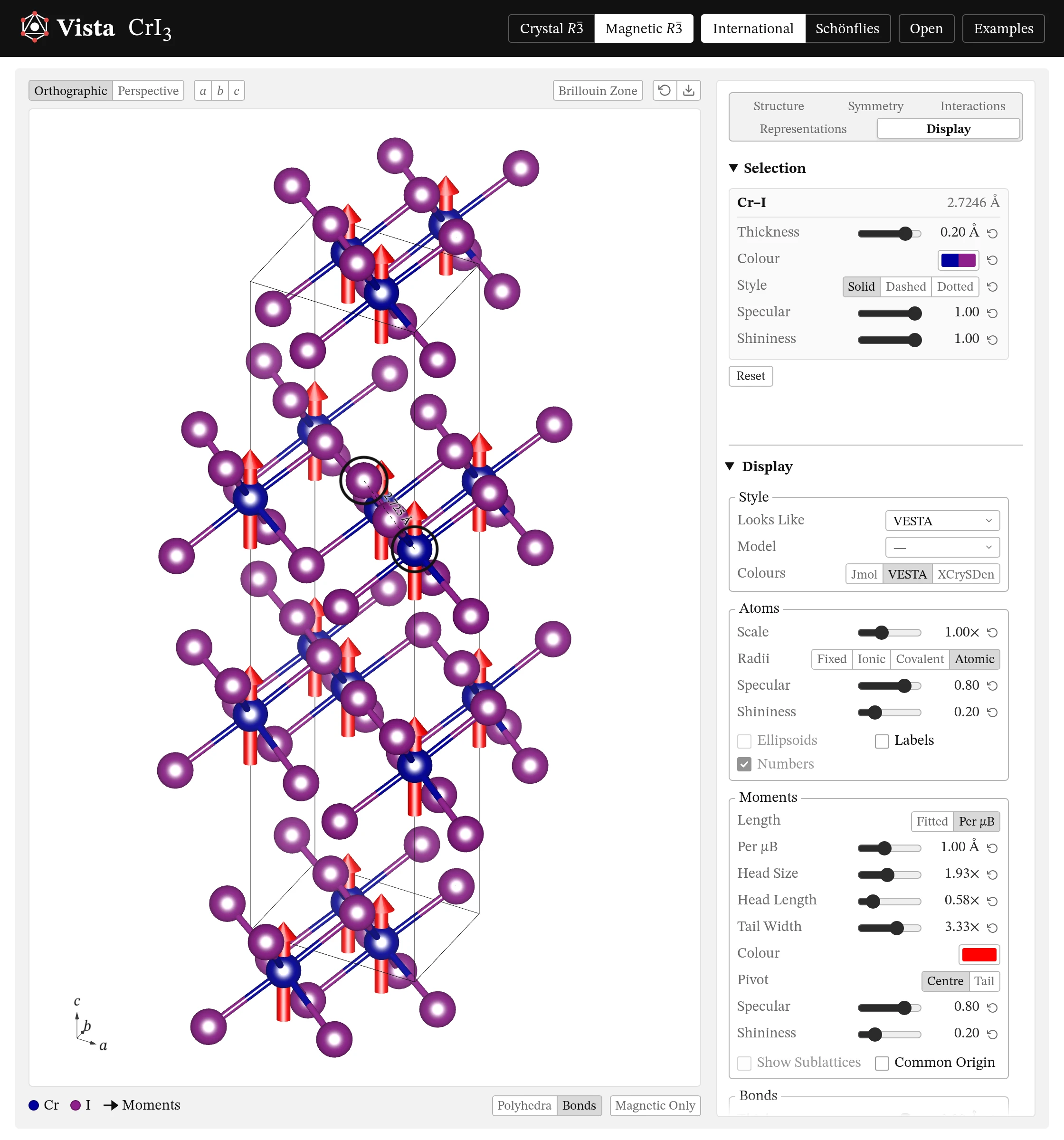
- 1 Click an atom, or right-click its element under the view, to size, colour, fade, label and shine every atom of it, and its arrows and polyhedra; click two bonded atoms for their bonds' thickness, colour and style. Each ↺ gives back the Display page's own.
- 2 Make it look like VESTA, as VESTA draws a new file: its colours and radii, its bonds, arrows, polyhedra, cell lines and labels, its shine, light and fog. Or like Jmol or XCrySDen. Draw it with polyhedra, balls and sticks, space-filling spheres or wires; colour the elements as one of them does. A VESTA file can be drawn as it was saved, with File's Look.
- 3 Size the atoms by fixed, ionic, covalent or atomic radii (VESTA's); make them matte or glossy; draw their displacement ellipsoids at any probability: plain, ringed by their three principal ellipses, or with the octant facing you shaded; label them, at any size and in any colour (up to 2,000 atoms).
- 4 Fit the moments' arrows to the structure, or make them so long per μB; size their heads and tails, shorten or lengthen their heads, colour them or their sublattices, draw them through their atoms or from them, and draw them all from one origin in the corner.
- 5 Thicken the bonds, colour them, dash or dot them; add bonds between any two elements within a range of lengths, each set in its own colour, and make polyhedra of them.
- 6 Choose the polyhedra's centres and ligands, how the ligands are found, how solid and glossy the polyhedra look, and their edges' width, colour and opacity.
- 7 Draw more cells, or part of one: fractions such as 1/3 are fine; their lines as wide and in the colour you like, the back edges dashed.
- 8 Light it over your shoulder, head-on, from the side, or flat; drag the light's spot round a small sphere to see how it falls, colour it and the light from all round, and let it turn with the view or stay with the crystal. Brighten it, light it more or less from all round, cast shadows (sharp, or as soft as a lamp of the size you set: sharp where an atom nearly touches what it shades, softer further off) and darken the creases where atoms meet (both on by themselves where your device draws them smoothly), fade what lies further back, and outline the atoms and bonds. Set the background, white, grey, black or any colour, and stand the structure on a floor.
- 9 Look along any [uvw] or normal to any (hkl); turn it by 15°, or let it turn by itself.
- 10 Save as Default keeps your choices for next time; Reset All goes back.
- With the pointer over the view,
a,bandclook along the axes,rresets the view andpturns the polyhedra on and off; the arrows turn it, and+and−zoom.
![CrI₃, two cells by two, seen along [001], with the foot of the Display page: polyhedra, unit cells, the view and Save as Default.](img/display-view.webp)